Skip content
Dojo Tutor
Log inTry class

Coding Tutoring

Personalized support from experienced teachers, with the flexibility of learning online.

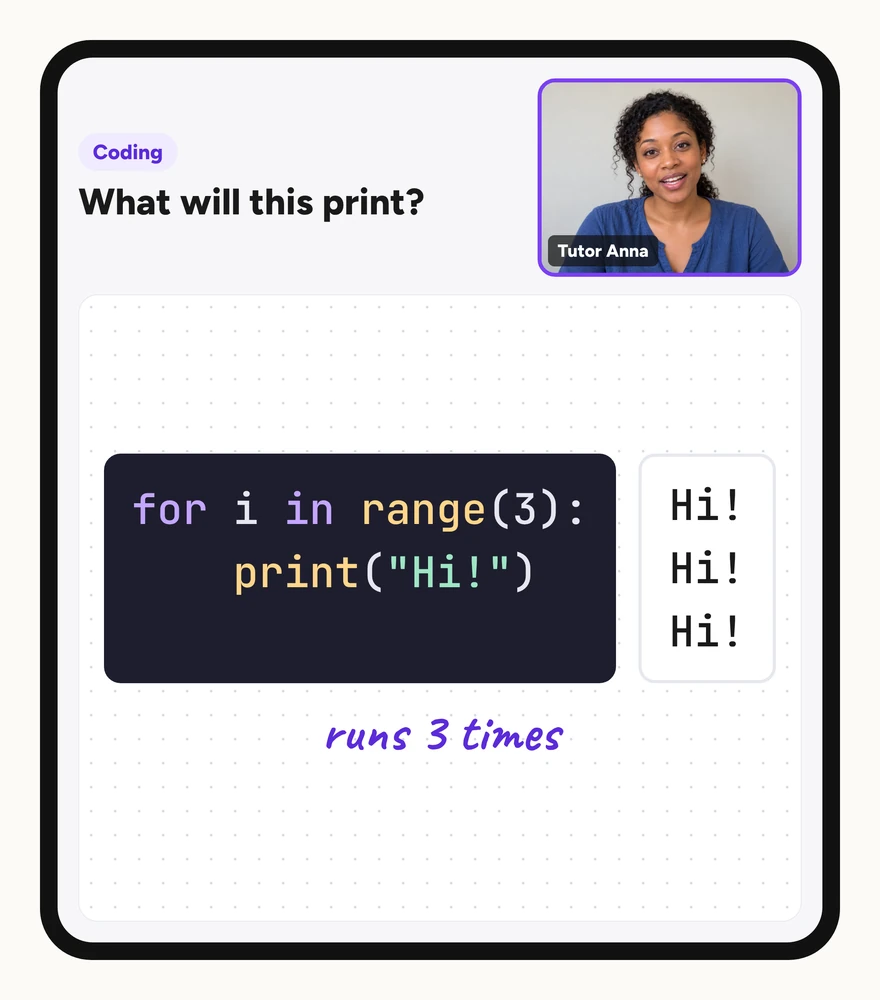
Illustration of an online coding lesson: a tutor on video and a short Python loop that prints “Hi!” three times.

In addition to coding, it's teaching him to focus — Connie L, Coding Tutoring

Try a class

Top Coding Tutors

5 of 36 tutors shown · 5.0 avg rating from 643 reviews

Ms. Sarah Lewers

5.0

44 ratings

9 years

Experience

K - 12th

Available Wed, Thu, Fri

Can support: Gifted & talented

Hi Class Dojo Students and Families, my name is Sarah Lewers and I'm a Woman that has received degrees and certifications in Science, Technology,…

K - 4th

Available Wed, Fri

Can support: ADHD, Autism spectrum, Gifted & talented

My name is Mrs. Amy Leone, and I am a passionate and engaging educator! I have been teaching for 33 years at the same school, and I have experience…

K - 12th

Available Sun, Tue, Wed, Thu

I’m a proud mom of three boys and the owner of five dogs. I enjoy spending time with my family and creating lasting memories together. I’ve been in…

K - 4th

Available Tue, Wed, Thu, Fri, Sat

Hi! I'm Stefani, and I've spent more than a decade working with students as a librarian, technology coordinator, and teacher. I especially love…

Pre-K - 8th

Available Mon, Tue, Wed, Fri

Can support: ESL, Gifted & talented

Hi! I’m Mrs. Aguirre, an educator with over 12 years of elementary classroom experience. I currently serve as an Instructional Technology Specialist,…

What parents are saying about Coding tutoring

Great communication and interaction. You caught Josiah’s attention and I heard the excitement in his laughter and voice. He was eager to mo... ve forward and continue to learn..

Destiney - 1st grade, Coding

Ms. Michelle was great as always. Very patient yet encouraging to Killian which gets him to participate when he normally would not.

Connie - 4th grade, Coding

She is an excellent teacher, very patient and kind ! I wouldn't recommend anyone else!!! 10/10

Shania - 1st grade, Coding

Coding tutoring that connects commands to what they do

Students may drag blocks into a workspace or type a line of code without understanding what happens when the program runs. A loop can feel like a shortcut to copy; a conditional can seem like a rule to memorize; a variable can look like a label rather than a container that changes. Coding tutoring can start with the exact point where the sequence stops making sense.

Tutors can connect block-based puzzles to text syntax, sprite behavior to the code that controls it, and debugging to a step-by-step check of what each command does. Younger students might sequence directional moves or recognize a repeating pattern. Older students might define a function, adjust a parameter, or trace how a variable updates inside a loop. The aim is to give students a way to predict, test, and explain the next instruction.

Sound familiar?

Why families look for Coding support

The blocks connect, but the program does not do what was intended

A sequence can run without errors and still produce the wrong result. Tutors can ask students to describe what each block should do, run the code to observe what actually happens, and identify which command needs to change or move.

Syntax errors interrupt the program

A missing quotation mark, incorrect indentation, or mismatched parenthesis can stop a program before it runs. Tutors can show students how to read an error message, locate the line that needs attention, and check the required syntax for that command or structure.

Where students can get stuck in Coding

Placing blocks in sequence without checking the order

Commands execute in the order they appear. If a sprite is told to hide before it moves, the movement will not be visible. Tutors can ask students to predict what happens at each step, run the code, and adjust the sequence when the observed behavior does not match the goal.

Confusing the number of repetitions with the repeated action

A repeat block controls how many times an action occurs, not what the action does. Students may set a repeat count without identifying which commands belong inside the loop. Tutors can show the difference between repeating move forward three times and moving forward by three steps once.

Using a conditional without understanding the test

An if-then block checks whether a condition is true before running the code inside. Students may place commands in the conditional section without explaining what is being tested. Tutors can ask what happens when the condition is true, what happens when it is false, and which outcome the current code produces.

Treating a variable as a fixed label

A variable holds a value that can change during the program. Setting score to zero at the start and changing score by one when an event occurs are two different commands. Tutors can trace how the variable updates and ask students to explain its value at a specific point in the code.

Typing syntax from memory without checking each required element

In Python 3, printing a string uses a function call such as print("Hello"). Unmatched quotes or parentheses can cause a syntax error, and an indented function body is required after a function definition. Spaces around an assignment's equals sign improve readability but are not required syntax: count=0 and count = 0 both work.

How Coding tutors make the next step clearer

Show what each command does before combining them

Tutors can isolate one block or line, run it, and observe the result. Students can then add the next command and check whether the program behaves as expected. This makes debugging easier because each addition has a clear purpose and a testable outcome.

  1. Identify the goal for the program or sprite.
  2. Add one command and run the code to observe its effect.
  3. Add the next command and check whether the sequence produces the intended result.
  4. Adjust the order, parameters, or structure when the behavior does not match the goal.

Connect a loop to the pattern it replaces

Students can write move forward, move forward, move forward, then replace the repetition with a repeat-three-times block containing one move-forward command. Tutors can ask what changes when the repeat count increases and what stays the same, helping students distinguish the loop's control from the action it repeats.

Trace a variable's value through the program

Start with a variable set to zero. Each time a condition is met, the variable changes by one. Tutors can ask students to state the variable's value after each update and explain what triggers the change. This connects the variable's role to the program's logic rather than treating it as a display label.

Putting Coding skills into practice

Original examples of ways to connect a command to its observable effect.

From repeated commands to a loop

Sequence four move-forward blocks to navigate a grid. Then replace them with a repeat-four-times block containing one move-forward command. Run both versions and confirm they produce the same result. Students can explain what the number four controls and what happens inside the loop.

From a variable's starting value to its updated state

Set a variable called count to zero. Add a command that changes count by one when a sprite is clicked. Click the sprite three times and check the variable display. Students can explain why the value is now three and predict what happens after two more clicks.

Inside a 25-minute session

What a Coding tutoring session can look like

This illustrative lesson focuses on using a repeat loop to simplify a sequence of movement commands in a block-based environment. Tutors can choose a different concept, platform, or debugging task to match the student's current work.

  1. 0–3 min

    Identify the goal

    Discuss what the sprite should do: move forward four steps to reach a target. Check that the student understands the grid and directional commands.

  2. 3–8 min

    Build the sequence without a loop

    Place four move-forward blocks in order. Run the code and confirm the sprite reaches the target. Ask how many blocks were needed and whether any pattern repeats.

  3. 8–15 min

    Replace repetition with a loop

    Introduce a repeat block set to four. Place one move-forward command inside the loop. Run the code and compare the result with the earlier version. Discuss what the four controls.

  4. 15–22 min

    Adjust the loop for a new challenge

    Change the target so the sprite must move forward six times. Ask whether to add more move-forward blocks or change the repeat count. Test the solution and explain the choice.

  5. 22–25 min

    Review and choose the next practice

    Recap why the loop made the code shorter and easier to adjust. Identify a next challenge, such as adding a turn command inside the loop or using a conditional to check for an obstacle.

Example timings only. The topic, platform, and pace can change with the student's needs and prior experience.

Frequently Asked Questions

Terms of servicePrivacy PolicyNotice at Collection

© 2026 ClassDojo. All Rights Reserved.